
There are three main types of solar monitoring systems: inverter-level, string-level, and module-level. For most small UK domestic arrays on a straightforward roof, inverter-level monitoring is the natural starting point. Shaded roofs, complex multi-pitch installations, battery systems, or property portfolios benefit considerably from string or module-level monitoring instead.
Here is what each type offers at a glance:
- Inverter-level monitoring records total system output from the inverter. Simple, usually included free with the inverter app, and sufficient for a standard south-facing domestic array with no shading.
- String-level monitoring tracks individual strings of panels. Useful when your roof has panels facing different directions or where partial shading affects one section but not another.
- Module-level monitoring measures every panel individually, using microinverters or DC optimisers. The highest granularity available, and the only type that can flag a single underperforming panel within hours rather than leaving a fault undetected for weeks or months.
The benefits of solar monitoring go well beyond peace of mind: faster fault detection, remote diagnostics your installer can action without visiting, and reliable data for energy decisions including battery charging and export tariff timing.
Table of Contents
- What are the three types of solar monitoring systems?
- How do solar monitoring platforms send alerts?
- How to choose the right monitoring level for your home
- What does solar monitoring installation cost and how long does it take?
- How monitoring improves maintenance and protects your returns
- Key takeaways
- Why installer access to monitoring data changes everything
- Solar monitoring installation and support from Smarthometechnical
- Useful sources
What are the three types of solar monitoring systems?
Inverter-level monitoring
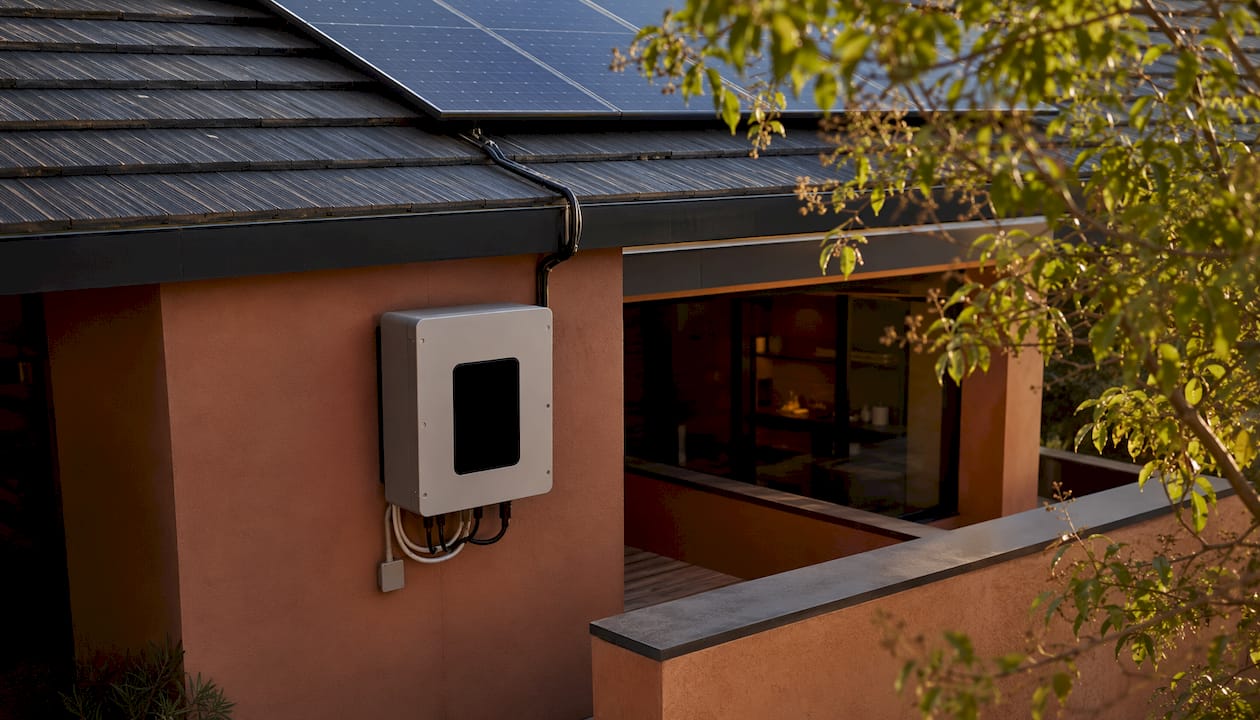
Inverter-level monitoring captures the total output of your entire array as a single figure. Most modern inverters ship with a companion app — GivEnergy’s portal, for example, or SolarEdge’s monitoring platform — that shows daily and historical generation data, live power output, and basic fault codes. Setup is usually straightforward: the inverter connects to your home Wi-Fi and registers with the manufacturer’s cloud.
The limitation is resolution. If one panel is underperforming due to soiling or a failing bypass diode, the inverter-level view shows only a slightly lower total. On a ten-panel array, one panel producing half its rated output might shave 5% off your generation — easy to miss until your electricity bill climbs.
String-level monitoring
A string is a series of panels wired together and connected to one input on the inverter. String-level monitoring tracks current and voltage at each string input, so if one string drops, you can see it immediately. This matters most on roofs with panels split across two or more orientations, or where a chimney or dormer shades one section in the morning but not the afternoon.
SolarEdge’s monitoring platform, for instance, provides string-level visibility alongside module-level data when power optimisers are fitted. Without optimisers, a standard string inverter with multiple MPPT inputs still gives you string-level separation, which is a meaningful step up from a single total.
Module-level monitoring
Module-level monitoring — the highest granularity available — tracks every panel individually. It requires either microinverters (one per panel, as used in Enphase systems) or DC optimisers fitted to each panel on a string inverter. The Enphase Enlighten platform, for example, can register each microinverter by serial number and flag a communication loss or output drop within hours of it occurring.
This level of detail is particularly valuable where panel shading is a known issue, or on larger commercial or managed arrays where a single panel fault in a long string can drag down the whole string’s output. The trade-off is cost: microinverters and optimisers add hardware expense at installation.
Comparing the three types
| Feature | Inverter-level | String-level | Module-level |
|---|---|---|---|
| Data granularity | System total only | Per string | Per panel |
| Typical hardware | Inverter + Wi-Fi | Multi-MPPT inverter or string CTs | Microinverters or DC optimisers |
| Fault detection speed | Weeks to months | Days to weeks | Hours |
| Relative cost | Lowest | Moderate | Highest |
| Best suited to | Simple domestic arrays | Multi-pitch or partially shaded roofs | Complex, shaded, or managed arrays |
| Battery/smart meter integration | Via CT clamp add-on | Via CT clamp add-on | Often built into platform |
A note on batteries and smart meters: the inverter app alone typically shows generation only. To see net usage, battery state-of-charge, and grid import/export in one view, you normally need additional metering hardware such as CT clamps installed by your electrician. GivEnergy’s system, for example, integrates battery state and grid flows natively, but a third-party CT monitor may be needed if you have a mixed-brand setup.
How do solar monitoring platforms send alerts?
Modern platforms do more than display charts. Monitoring platforms can send automated alerts for abnormal conditions by email, app push notification, or SMS, and can host availability reports and performance ratio calculations.
Core platform features typically include:
- Live generation dashboard and historical charts
- Performance ratio: actual output versus expected output for the weather conditions
- Energy flow view: generation, battery charge/discharge, grid import and export
- Automated fault alerts: inverter error codes, string communication errors, low-output panel flags
The more sophisticated platforms go further. Rather than simply triggering an alert when output drops below a fixed threshold, advanced monitoring compares current production against a modelled expectation based on irradiance and temperature. A soiled panel on a cloudy day will not trigger a false alarm; a genuinely underperforming panel on a clear day will.
Remote diagnostics is where professional monitoring earns its keep. Manufacturer apps such as Enphase Enlighten can enable remote troubleshooting and sometimes resolve issues without a site visit. SolarEdge’s monitoring platform allows installers to access module-level and inverter-level performance data across their entire residential fleet, diagnosing a fault before they even leave the office. For a property manager overseeing multiple sites, that capability is significant.
Practical alerts a UK homeowner might receive include:
- String communication error (often a loose DC connector or a failed optimiser)
- Low output from a specific panel (shading, soiling, or module degradation)
- CT meter mismatch (import/export readings inconsistent with generation data)
- Inverter offline (Wi-Fi drop or hardware fault)
Pro Tip: Configure your platform to prioritise fault and performance-drop alerts rather than every minor status update. Alert fatigue is real — if every cloud-cover dip triggers a notification, you will start ignoring them, including the ones that matter.
How to choose the right monitoring level for your home
Match the monitoring level to your actual situation rather than defaulting to the cheapest option.
Decision framework:
- Simple south-facing roof, no shading, no battery: inverter-level monitoring is adequate to start.
- Roof with two or more orientations, partial shading, or a battery system: string-level monitoring gives you the visibility to act on problems.
- Complex roof, known shading issues, commercial array, or managed property portfolio: module-level monitoring pays for itself through faster fault detection and reduced lost generation.
Questions to ask your installer before signing anything:
- Who receives fault alerts — you, the installer, or both?
- Who owns the data, and can you export historical reports?
- Is there a subscription fee after the first year, and what does it cover?
- What is the SLA for responding to a fault alert?
- Can the installer access your system remotely for diagnostics?
- Is the monitoring compatible with your inverter brand and any battery you have or plan to add?
The solar panel output checklist for homeowners is a useful companion when reviewing these points with an installer.
Red flags to watch for:
- Installer cannot tell you who receives alerts or how quickly they respond
- No written SLA for fault notification or response
- Unable to provide a sample historical performance report
- Data access locked to the installer with no owner login
- Monitoring platform subscription terms not disclosed upfront
What does solar monitoring installation cost and how long does it take?
Typical installation steps:
- Site survey: roof orientation, shading assessment, inverter and meter location
- Hardware procurement: inverter, CT clamps, microinverters or optimisers if required
- Installation: mounting, wiring, CT clamp fitting at the consumer unit
- Commissioning: inverter registration, app setup, alert configuration
- Handover: owner walkthrough of the platform and alert settings
On a straightforward domestic install, commissioning and app setup typically adds a few hours to the installation day. Adding CT clamps for a full energy-flow view is a relatively minor addition at that stage; retrofitting them later is possible but slightly more disruptive.
Subscription and instrumentation costs vary considerably. Basic inverter-level monitoring is often included free with the hardware. More detailed setups for larger systems can run to around £100 per year or more for residential subscriptions, with commercial or highly instrumented systems costing substantially more. Always ask for a breakdown of one-off hardware costs versus ongoing subscription fees before committing.
Pro Tip: Get quotes that separate monitoring hardware, installation labour, and any annual platform subscription. A low upfront price sometimes conceals a recurring fee that adds up over a ten-year system life.
Detection timeframes differ sharply by monitoring level. Module-level systems can flag a fault within hours. With inverter-level monitoring only, a single underperforming panel may not become obvious until you notice a fall in your generation totals or a rise in your electricity bill, which could take weeks or months.
How monitoring improves maintenance and protects your returns
Proactive monitoring materially improves asset performance by detecting faults within hours; unmonitored systems can underperform for months before the owner notices. On a typical domestic array, a fault running undetected for three months represents a meaningful slice of annual generation lost permanently.
The practical maintenance workflow runs: alert received → remote diagnostic by installer → issue resolved remotely if possible → onsite visit scheduled only if hardware replacement is needed. Professional installers value remote access to performance data precisely because it avoids unnecessary call-outs and speeds up genuine repairs. A junction box fault, for example, may be identifiable remotely from string-level data before the engineer arrives, cutting diagnostic time on site.
Clear data access policy matters as much as the technology. Three parties typically need access: the owner (to review generation and bills), the installer (to diagnose faults and respond to alerts), and the manufacturer (for warranty claims and firmware updates). If any of those access routes is missing or unclear, fault response slows down.
Key takeaways
Module-level monitoring detects faults within hours, while inverter-level monitoring alone can leave underperformance unnoticed for weeks or months.
| Point | Details |
|---|---|
| Three monitoring levels | Inverter-level suits simple arrays; string-level suits multi-pitch or shaded roofs; module-level suits complex or managed installs. |
| Detection speed matters | Module-level systems flag faults within hours; inverter-level monitoring may take weeks or months to reveal a problem. |
| CT clamps for full visibility | Seeing net usage, battery state, and grid import/export in one view usually requires CT clamps fitted by an electrician. |
| Ask the right questions | Confirm who receives alerts, who owns the data, subscription costs, and the installer’s SLA before signing. |
| Smarthometechnical | Smarthometechnical installs and commissions solar monitoring across Dorset, Hampshire, and Devon, with installer access to alerts and remote diagnostics included. |
Why installer access to monitoring data changes everything
Most homeowners focus on the panel count and the inverter brand. The monitoring setup tends to be an afterthought — and that is where things go wrong.
A system with no installer alert access is a system where the owner carries the entire diagnostic burden. You notice your bills are higher than expected, you log into an app you have not opened in six months, you try to interpret an error code, and then you wait for a callback. That sequence can take weeks. With proper monitoring in place, a competent installer sees the alert the same day it fires, runs a remote diagnostic, and either resolves it or books an onsite visit with the fault already identified.
The other thing people underestimate is how often “minor” alerts turn out to be real. A string communication error looks like a software glitch. Ignore it for a month and it may be a corroded connector or a failing optimiser that has been dragging down one string’s output the entire time. Modern inverters reliably detect hardware faults; the risk is not the technology, it is the human habit of dismissing notifications.
For property managers overseeing multiple rooftop arrays, the case for string or module-level monitoring is even clearer. A single platform view across all sites, with automated alerts routed to the installer, turns what would otherwise be a reactive maintenance headache into a manageable schedule.
Solar monitoring installation and support from Smarthometechnical
Getting the monitoring right from day one is far easier than retrofitting it later. Smarthometechnical handles the full installation: solar panels, battery storage, CT clamp metering, and monitoring commissioning, so your platform is configured and your alerts are live before we leave site.
We cover Dorset, Hampshire, and Devon, and our engineers retain remote access to your system data so fault alerts reach us directly. For GivEnergy systems, our dedicated GivEnergy support service means monitoring queries and warranty issues are handled without you needing to chase the manufacturer. Whether you are planning a new solar installation or reviewing the monitoring on an existing array, get in touch for a site survey and a clear quote that separates hardware, installation, and any ongoing subscription costs.
Useful sources
The following sources informed this guide. Check each platform’s current terms for subscription fees, data retention policies, and data access rights before committing to a monitoring solution.
- Monitor your solar system — Australian Government energy.gov.au: practical overview of data sources, app capabilities, and CT metering requirements.
- Monitoring platforms for solar photovoltaic systems — US Department of Energy: platform features, alert types, subscription cost ranges, and the operational value of remote diagnostics.
- SolarEdge monitoring platform: residential fleet management, module-level alerts, and remote troubleshooting capabilities.
- Enphase: monitoring your solar energy system: microinverter-based module-level monitoring, remote diagnostics, and 24/7 support features.
- What are solar monitoring systems? — This Old House: equipment-integrated versus third-party monitoring options and CT sensor whole-home monitoring.
- What is a solar monitoring system? — INTLBM: third-party and whole-home energy monitoring with smart home integration notes.
Recommended
- Why solar panels lose efficiency: a UK homeowner’s guide – Smart Home Technical Ltd
- How solar planning works: a homeowner’s guide 2026 – Smart Home Technical Ltd
- Examples of solar water heating for UK homeowners – Smart Home Technical Ltd
- Examples of whole home energy systems for UK homeowners – Smart Home Technical Ltd
