
A solar export meter measures the surplus electricity your panels send back to the grid, recorded in kilowatt hours. It’s the meter your energy supplier reads to calculate what you’re owed for that exported power. Without one, there’s no verified record of what left your property, and no basis for a payment.
- Records exported energy only, not what your panels generate or what you use at home
- Underpins payments through schemes like the Smart Export Guarantee
- Reading the right register is the whole trick, and it trips up more people than you’d think
Key Takeaways
Accurate export metering depends entirely on reading the correct register and confirming it transmits properly to your supplier or MOP.
| Point | Details |
|---|---|
| Export meters measure surplus only | They record what you send to the grid, not total generation or household usage. |
| Find the right register | Look for “Total Active Export” or “EXPRT” on your smart meter display. |
| SEG payment needs export data | Suppliers calculate payment from the difference between two export readings. |
| Commercial sites need a MOP | Businesses typically require a formal Meter Operator contract for export data flows. |
| Smarthometechnical verifies at commissioning | We check registers, telemetry, and SEG eligibility before handing over a completed installation. |
Table of Contents
- What does a solar export meter actually measure?
- How does a solar export meter work?
- Do I need an export meter for the Smart Export Guarantee?
- How do you read a solar export meter?
- Who installs and manages export metering?
- What mistakes do people make with export readings?
- What should a commissioning check cover?
- Why accurate export metering pays off
- Get your export metering checked properly
- Sources
What does a solar export meter actually measure?
Three meters, three jobs, and homeowners mix them up constantly. A generation meter sits near the inverter and counts every kilowatt hour your panels produce, whether you use it, store it, or export it. An export meter sits at the grid connection point and counts only what leaves your property. A bidirectional meter, increasingly common with smart meter rollouts, does both jobs on one device, tracking import and export as separate registers.
- Generation meter: total output at the inverter, regardless of destination
- Export meter: surplus sent to the grid at the connection point
- Bidirectional meter: import and export on a single unit, common in modern smart meters
Older Feed-in Tariff installations often have two separate physical meters. Anything installed more recently under SEG will typically run through one smart meter with distinct registers for each direction, as Octopus Energy explains.
How does a solar export meter work?
Every meter that measures export uses a “register,” which is simply a running total stored on the device. Look for labels like “Total Active Export” or “EXPRT” on the display. That figure only ever goes up, and the difference between two readings tells you how much you’ve exported in that period.
Older mechanical disc meters couldn’t detect direction reliably and simply weren’t built for solar. Electronic smart meters solve that by measuring current flow both ways, tagging each kilowatt hour as import or export automatically.
- The meter detects the direction of current flow at the connection point
- It logs the reading to the correct register (import or export)
- Firmware maps that register to a label your display shows
Correct firmware configuration matters more than most installers admit. A PV meter guide from Eastron notes that many modern units also output data via Modbus or pulse signals, feeding controllers that need fast, accurate directional data, particularly for zero-export systems where speed prevents unwanted grid feed-back.
Do I need an export meter for the Smart Export Guarantee?
If you want paid for the electricity you send to the grid, yes. SEG requires an export-capable meter to evidence exactly how many kilowatt hours you sent out, since Ofgem’s SEG scheme pays on metered export volume, not estimates.
- MCS certification is commonly required for eligibility, and most SEG-registered installers handle this as standard, per Ofgem’s guidance on microgeneration certification
- Domestic systems typically sit well under commercial capacity thresholds, so eligibility rarely turns on system size for homeowners
- If your existing meter can’t record export, contact your supplier and ask about a smart meter upgrade or separate export metering
Systems installed before smart meters became standard sometimes went unrecorded and unpaid for years, a genuinely common and avoidable loss worth checking at your next meter reading.
How do you read a solar export meter?
Reading the right number is simpler than most people expect, once you know where to look.
- Wake the smart meter display, usually with a button press, and let it cycle through its menu
- Watch for a register labelled “Total Active Export” or “EXPRT”; some displays abbreviate further, so check your supplier’s naming if unsure
- Note the figure in whole kilowatt hours
- Subtract your previous reading from the current one to get exported energy for that period
- Multiply by your SEG rate in pence per kilowatt hour to estimate payment
Say your export register read 2,500 kWh last month and now reads 3,000 kWh. You’ve exported 500 kWh, which Octopus Energy’s meter reading guide confirms is exactly how the calculation works: current reading minus previous reading, nothing more complicated.
If the display shows nothing useful, try pressing the button again after a few seconds; some units need a second wake cycle. If export still doesn’t appear at all, your meter may not be export-capable, and that’s a supplier conversation, not a display fault.
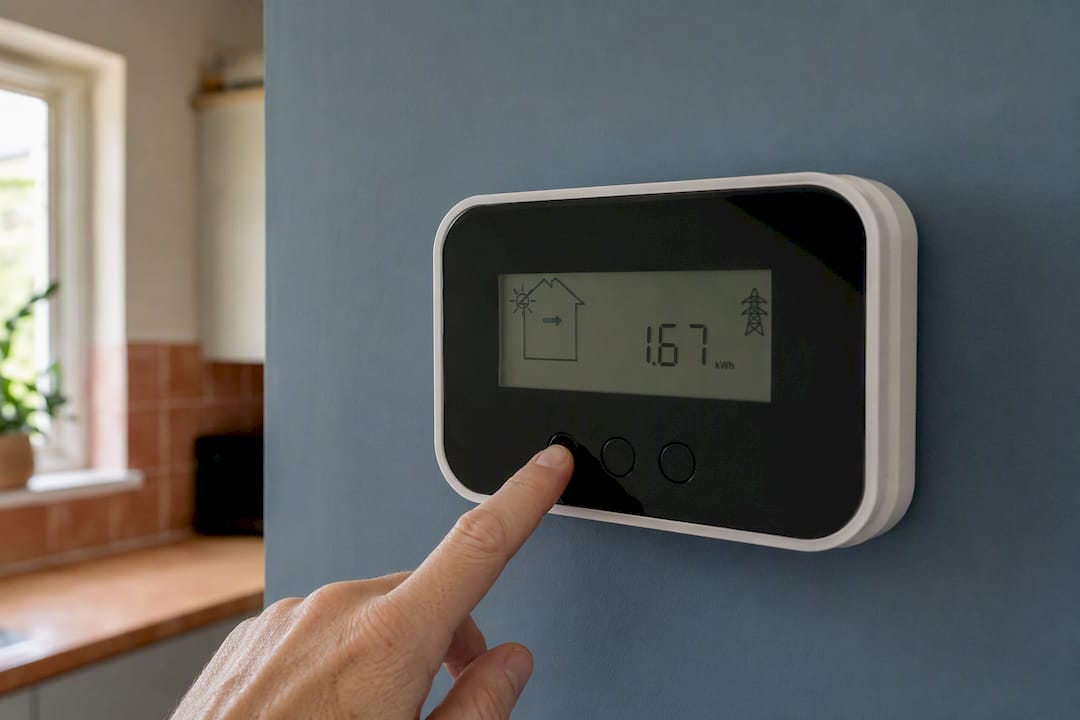
Pro Tip: Ignore any decimals after the main kWh figure unless your supplier specifically asks for them. Reporting 500.47 kWh instead of 500 kWh doesn’t make you more accurate, it just invites confusion.
Who installs and manages export metering?
Getting an export-capable meter fitted or reconfigured usually starts with a call to your supplier, who can arrange a smart meter upgrade, often at no cost for domestic customers, though timeframes vary by region and demand.
For commercial sites, the process involves a Meter Operator (MOP), a specialist appointed to install, maintain and manage the technical data flows between your meter and your energy supplier. Commercial installations frequently need a formal MOP contract and, if selling power under a separate agreement, an Export Power Purchase Agreement (Export PPA), as EAG UK explains.
- Confirm the export register label before signing off any installation
- Verify communications, whether Modbus, pulse, or another method, actually reach your supplier
- Check who’s appointed as MOP, and for larger sites, consider using one MOP for both import and export to cut administration, a point Eden Sustainable makes about reducing compatibility issues down the line
What mistakes do people make with export readings?
The most common error is submitting the import register reading instead of export, an easy mix-up when both numbers sit on the same screen. Suppliers can spot this quickly, but it delays payment while it gets sorted.
- Reporting import figures by mistake, especially on unfamiliar displays
- Adding unnecessary decimal places or misreading units (kWh versus MWh)
- Assuming inverter generation equals exported energy, when in reality most homes use a chunk of that generation before anything reaches the grid
That third one catches out installers too. An installer’s view from Fuse Energy points out that customers regularly overestimate export income because they’re reading generation figures, not the export register that actually determines payment.
What should a commissioning check cover?
A proper commissioning visit isn’t just about flicking the system on. It’s the moment to lock in a paper trail that protects your future payments.
- Take an initial export reading and note the exact register label shown
- Confirm the meter’s communication method (Modbus, pulse, or standard smart meter link) and who receives that data
- For commercial sites, identify the appointed MOP by name
- Ask for written confirmation that export readings will reach your chosen export supplier, along with a contact point if something goes wrong
Skipping this step is how systems run for months with unrecorded exports.
Why accurate export metering pays off
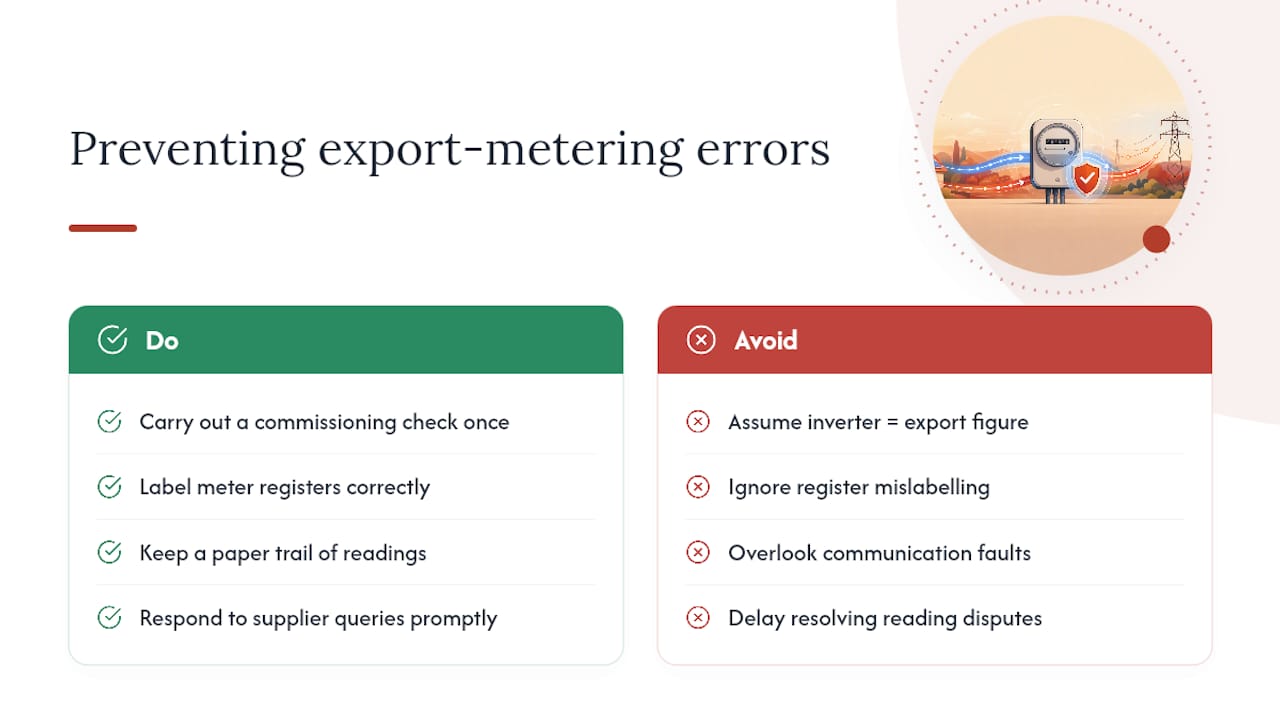
The errors I see most often trace back to one thing: someone assumed the inverter’s generation figure was their export figure, and only noticed the gap when a payment looked wrong. A proper commissioning check, done once, catches register mislabelling and communication faults before they cost anyone a season’s worth of export income. It also gives you a clean paper trail if your supplier ever queries a reading, which saves weeks of back and forth later.
Get your export metering checked properly
There are other routes to sorting this yourself, from ringing your supplier’s call centre to digging through smart meter manuals on your own. Smarthometechnical takes that off your plate entirely: when we install or commission a solar system, we verify the export register, confirm telemetry reaches your supplier, and handle MOP coordination for commercial sites, so nothing gets missed between switch-on and your first payment.
At commissioning, we check the register label, test that data flows to your chosen export supplier, and confirm SEG eligibility before we leave site. If you’re planning a new installation or want an existing system checked for correct export metering, visit our solar installations page to arrange a site visit or get a quote.
Sources
- Smart Export Guarantee (SEG) – Ofgem
- What is the difference between a generation and an export meter? — Octopus Energy
- Export Meters | Sell power to the grid — EAG UK
For rules specific to your postcode or supplier, contact your energy supplier or appointed MOP directly.
Recommended
- Solar net metering in Dorset: what homeowners need to know – Smart Home Technical Ltd
- How smart meters work with solar panels in the UK – Smart Home Technical Ltd
- How to read solar generation data: a homeowner’s guide – Smart Home Technical Ltd
- What is a solar energy flow diagram? – Smart Home Technical Ltd
